

A guide written for comfort, clarity, and enjoyment — not hype
If you’re a senior looking for a gaming PC, chances are you’ve already searched online and felt overwhelmed.
Everything seems loud.
Everything feels rushed.
And most of what you’ve read sounds like it was written for someone else.
This guide is different.
It was written after reviewing modern gaming PCs and listening closely to what older gamers actually care about — comfort, quiet performance, long-term reliability, and a system that simply works.
If you enjoy games and want a computer that feels calm, responsive, and satisfying to use, you’re in the right place.
First, let’s clear something up
There is nothing unusual about seniors enjoying games.
Today’s seniors grew up alongside computers. Many played early PC and console games, experimented with flight simulators, racing titles, strategy games, and now enjoy puzzles, exploration games, and online play with friends or family.
Gaming is not about age.
It’s about enjoyment, relaxation, and staying mentally engaged.
Searching for the best gaming PC for seniors doesn’t mean you want something basic or watered down. It means you want power without frustration.

First, let’s clear something up
There is nothing unusual about seniors enjoying games.
Today’s seniors grew up alongside computers. Many played early PC and console games, experimented with flight simulators, racing titles, strategy games, and now enjoy puzzles, exploration games, and online play with friends or family.
Gaming is not about age.
It’s about enjoyment, relaxation, and staying mentally engaged.
Searching for the best gaming PC for seniors doesn’t mean you want something basic or watered down.
It means you want power without frustration.
What “gaming PC for seniors” really means
For most seniors, the best gaming PC is not about extreme performance or chasing numbers.
It’s about:
- Smooth gameplay without stuttering
- Quiet operation without sudden fan noise
- Clear visuals that don’t strain the eyes
- Fast startup and quick loading
- A system that will last several years without upgrades
In simple terms, comfort and reliability come first.
Many seniors we hear from say their biggest regret isn’t buying the wrong PC — it’s buying something too loud, too complicated, or uncomfortable to live with day after day.
The specs that actually matter
A strong processor (CPU)
The processor keeps everything feeling smooth — menus, loading screens, background tasks, and multitasking.
You don’t need the newest or most expensive option. A modern mid-range processor keeps the system responsive for years and avoids that sluggish feeling many older computers develop.
Enough memory (RAM)
This matters more than many people realize.
Sixteen gigabytes of RAM is the sweet spot for seniors. It prevents slowdowns, keeps games running smoothly, and avoids frustration when switching between tasks or leaving programs open.
A solid-state drive (SSD)
This is non-negotiable.
An SSD dramatically improves how a computer feels day to day. Startup is faster. Games load quicker. Everything responds immediately instead of lagging behind your actions.
If a PC doesn’t include an SSD, it’s best to skip it.
A reasonable graphics card (GPU)
You do not need extreme graphics.
A solid mid-range graphics card easily handles flight simulators, strategy games, racing titles, and modern games at comfortable settings. Smooth visuals matter far more than chasing the highest frame rates.
Comfort matters more than raw power
Quiet operation
One of the most overlooked features of a good gaming PC is noise control.
A senior-friendly system should stay quiet during normal use, avoid sudden fan spikes, and manage heat smoothly. Quiet systems are less fatiguing and far more enjoyable during longer sessions.
Easy-to-read visuals
Your monitor matters just as much as the computer itself.
Larger screens, clear resolution, and adjustable brightness and contrast reduce eye strain far more than raw graphical power. Comfort always beats excess.
Pairing a quiet PC with a comfortable keyboard, mouse, and chair matters just as much as what’s inside the case.
Prebuilt vs custom: the honest answer
For most seniors, a prebuilt gaming PC is the better choice.
It arrives ready to use. Components are properly balanced and cooled. Warranties are included. There’s no troubleshooting or compatibility guessing.
Custom builds are excellent if you enjoy the process. But if you want peace of mind and simplicity, prebuilts win.
Before choosing: one reassuring truth
If you’re worried about choosing the wrong gaming PC, here’s the reality:
Any well-built gaming PC in the categories below will feel dramatically better than a standard office computer. The key isn’t perfection — it’s choosing a system that matches how you want to feel while using it: calm, focused, and uninterrupted.
Also worth knowing:
A slightly less powerful system that runs cool and quiet will almost always feel better long-term than a louder, hotter PC with higher numbers on paper.
That’s something many reviews never tell you.
Gaming PC types seniors actually enjoy using
After reviewing many systems, four types consistently stand out for seniors. These are not hype-driven picks — they’re comfort-driven choices.
A balanced, all-around gaming PC
This type of system focuses on smooth performance, quiet operation, and long-term dependability. It’s designed to handle modern games comfortably while staying cool and stable, avoiding the excess heat or noise that can make some PCs unpleasant to use over time.
A good example of this approach is the Lenovo Legion Tower, which many seniors appreciate for its calm design, consistent performance, and overall reliability in everyday use as well as gaming.

- EMPOWER YOUR PASSIONS ELEVATE YOUR GAME – Whether you’re dominating the leaderboard…
- BEYOND FAST – The Intel Core Ultra 7 265F CPU is designed to give you the power boost…
- GAME CHANGER – The NVIDIA GeForce RTX 5060 Ti GPU is beyond fast for gamers and…
- BOLD DESIGN AND EFFORTLESS UPGRADE – The Legion Tower 5i’s transparent, tool-less side…


- AMD Ryzen 7 7800X3D – Gaming’s Greatest Edge: The Ryzen 7 7800X3D dominates the gaming…
- NVIDIA RTX 5070 12GB GDDR7 – Next-Level Visual Power: Step into lifelike 4K worlds with…
- DDR5 5600MHz Memory – The Future of Speed Is Here: Double the data rate, double the…
- Legion Coldfront ARGB Cooling – Quiet Power, Bold Design: Keep your tower running…
A quiet-focused gaming PC
Some people are more sensitive to noise than anything else, especially during longer gaming sessions or evening use. Sudden fan spikes or constant background noise can quickly become distracting and tiring.
Systems designed with better airflow and thoughtful acoustic tuning stay noticeably calmer, even when running demanding games. The Corsair Vengeance line is often favored for this reason, offering a smoother, quieter experience that lets you stay focused on the game rather than the machine.

- GeForce RTX 50 Series Graphics Card: Powered by NVIDIA Blackwell, GeForce RTX 50 Series…
- Liquid-Cooled 14th Gen Intel Core CPU: The latest in dynamic CPU architecture so you can…
- CORSAIR 3500X ARGB Mid-Tower Case: Offers stunning views of your PC’s internals through…
- CORSAIR VENGEANCE RGB DDR5 Memory: High-performance memory, optimized for Intel and lined…

- GeForce RTX 50 Series Graphics Card: Powered by NVIDIA Blackwell, GeForce RTX 50 Series…
- Liquid-Cooled AMD Ryzen 9000 Series CPU: powers smooth gameplay and high frame rates…
- CORSAIR DOMINATOR TITANIUM RGB DDR5 Memory: Boasts 11 individually addressable LEDs to…
- Show Off Your System: Brilliant system-wide RGB lighting lets you create synchronized…
A long-term, buy-once gaming PC
For seniors who don’t want to revisit upgrades later, a system with a bit of extra headroom makes sense. These PCs are designed to age more gracefully, handling newer games and software updates without feeling strained over time.
A setup like the HP OMEN Desktop fits this category well. It offers dependable performance, solid cooling, and enough flexibility to remain comfortable to use for years, making it a good choice for those who prefer to buy once and enjoy their system without ongoing adjustments.

- COMPACT SIZE, BIG PLAYS – From small spaces to massive quests, the OMEN 16L’s compact…
- EXPERIENCE POWERFUL AND EFFICIENT AI PERFORMANCE – Unlock optimized gaming, creation and…
- GAME CHANGER – Powered by NVIDIA Blackwell, GeForce RTX 5060 Ti GPU brings game-changing…
- STORAGE AND MEMORY – 1 TB PCIe Gen4 NVMe M.2 solid-state drive offers fast speed and…
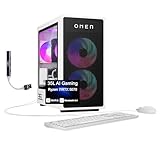
- [Superior Machine] ; 802.11ax Wifi, Bluetooth 5.4, RJ-45, No, USB Keyboard, USB Mouse
- [Powerful Performance] Zen 4 Gen Ryzen 7 8700F 4.1GHz Processor (upto 5 GHz, 16MB Cache…
- [High Speed and Multitasking] 32GB DDR5 DIMM; 850W PSU, RGB Lighting ; Panda Metal Color
- [Enormous Storage] 1TB PCIe NVMe SSD + 3TB HDD; 4 USB 2.0, HDMI, 3 Display Port, 2 USB…
A smart, budget-focused gaming PC
Budget doesn’t mean weak — it means balanced.
Value-focused systems prioritize smooth gameplay, fast startup, and dependable components rather than flashy extras that drive up cost. They’re designed to feel responsive in everyday use and handle popular games comfortably without noise or complexity.
The Skytech Archangel is a good example of this approach. It focuses on the essentials that matter most — steady performance, reliable cooling, and a setup that simply works — making it a practical choice for seniors who want enjoyable gaming without overspending.

- AMD Ryzen 5 5500 3.6GHz (4.2GHz Turbo Boost) CPU Processor | 1TB NVMe M.2 SSD – Up to…
- NVIDIA Geforce RTX 3050 (6GB) 6GB GDDR6 Graphics Card (Brand may vary) | 16GB DDR4 RAM…
- 802.11 AC | No Bloatware | Graphic output options include 1 x HDMI, and 1 x Display Port…
- High-Performance Air Cooler: Maximum Airflow & ARGB Fans | Skytech Archangel Gaming Case…

- Intel Core i5 14400F 2.5GHz (4.7GHz Turbo Boost) CPU Processor | 1TB NVMe M.2 SSD – Up…
- NVIDIA GeForce RTX 5060 8GB GDDR7 Graphics Card (Brand may vary) | 32GB DDR4 RAM…
- 802.11 AC | No Bloatware | Graphic output options include 1 x HDMI, and 1 x Display Port…
- High-Performance Air Cooler: Maximum Airflow & ARGB Fans | Skytech Archangel Gaming Case…
Games seniors commonly enjoy on a gaming PC
A well-chosen gaming PC comfortably handles:
- Flight and driving simulators
- Strategy and turn-based games
- Puzzle and brain-training games
- Exploration and adventure games
- Online games played with family or friends
Gaming should feel relaxing and enjoyable — not demanding or stressful.
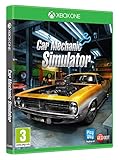
- Endless gameplay, photorealistic graphics, 48 cars to get your hands dirty with (including…
- Multilevel car parking to store vehicles and Advanced Upgrade System to level up and spend…
- Path Test for car suspension, Test Track to check car condition (or just fool around on…
- Car auctions, paint shop with different paint types and liveries, Barn Finds and a…

- 🛫 Fly airplanes with realistic flight physics and cockpit controls.
- 🚗 Switch between flying and driving in free drive mode.
- 🌍 Explore open-world maps with diverse terrains.
- 🎮 Fun missions or free exploration modes.
A quick word on price and value
You don’t need to overspend to enjoy a good gaming experience. For most seniors, the right gaming PC sits in a sensible mid-range price, where performance, comfort, and reliability are well balanced.
Systems in this range deliver smooth gameplay today, enough flexibility for future games, and several years of comfortable use without upgrades. They also tend to run quieter and cooler than cheaper options pushed too far.
Buying smarter — not bigger — almost always leads to a better long-term experience.
Final thoughts
A gaming PC should add enjoyment to your life, not complexity.
The best gaming PC for seniors is one that feels calm, works quietly in the background, and lets you enjoy your games without distractions. It respects your time, your comfort, and your patience.
You’re not too old for gaming. You’re experienced enough to know what you want — and confident enough to choose what truly fits your life.
If this guide helped you feel clearer and more confident, then it’s done its job.
And if a quiet word of thanks crossed your mind — you’re very welcome.
Frequently Asked Questions
Do seniors really need a gaming PC to play games?
Not always, but a gaming PC often provides a smoother, quieter, and more reliable experience than standard office computers, especially for simulators, strategy games, and modern titles.
Is a gaming PC harder to use than a regular computer?
No. Once set up, a gaming PC works just like any other computer. Many seniors find them faster, more responsive, and less frustrating in daily use.
Are gaming PCs loud or distracting?
They don’t have to be. Well-built systems with good airflow and cooling stay quiet during normal use, which is why noise control matters more than raw power for seniors.
How long should a good gaming PC last?
A quality mid-range gaming PC can comfortably last several years without upgrades, especially when chosen for reliability and cooling rather than extreme performance.
Is buying a prebuilt gaming PC safer than building one?
For most seniors, yes. Prebuilt systems arrive ready to use, include warranties, and avoid compatibility or troubleshooting issues.