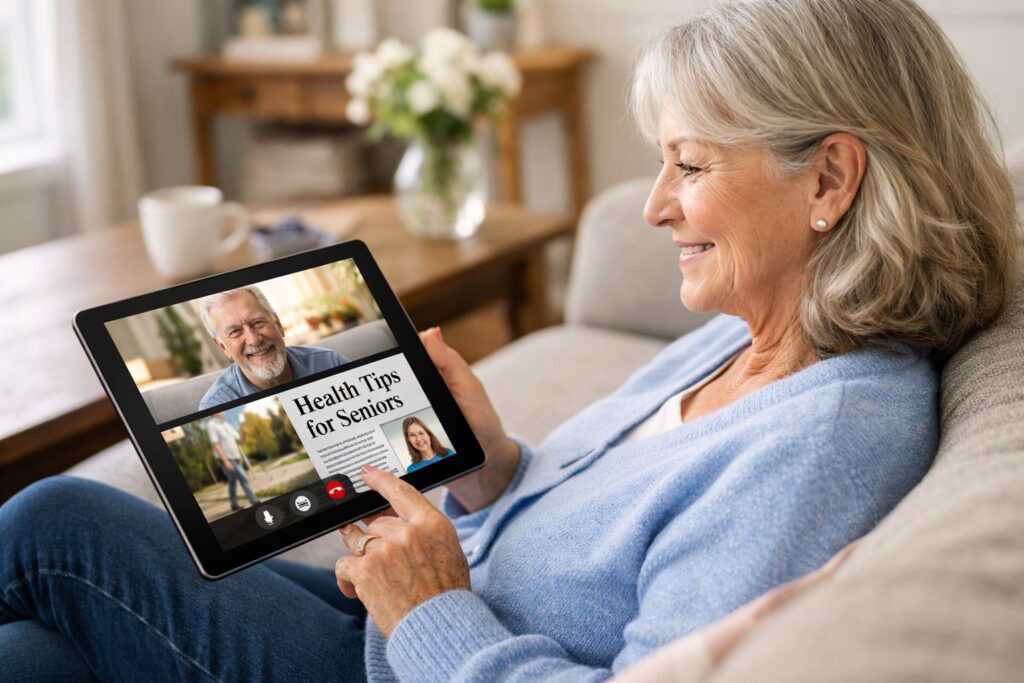
A larger screen can make a meaningful difference for older adults who want to read comfortably, watch videos clearly, and make video calls without straining their eyes. While most tech reviews focus on processor speed or gaming performance, seniors often care far more about visibility, simplicity, and daily comfort.
If you’ve been searching for large screen tablets for seniors that feel easier on the eyes and more comfortable to use, this guide focuses specifically on options in the 10–12 inch range that balance clarity, usability, and value.
Before choosing a specific model, it’s important to understand what actually improves readability. Screen size alone does not guarantee comfort.
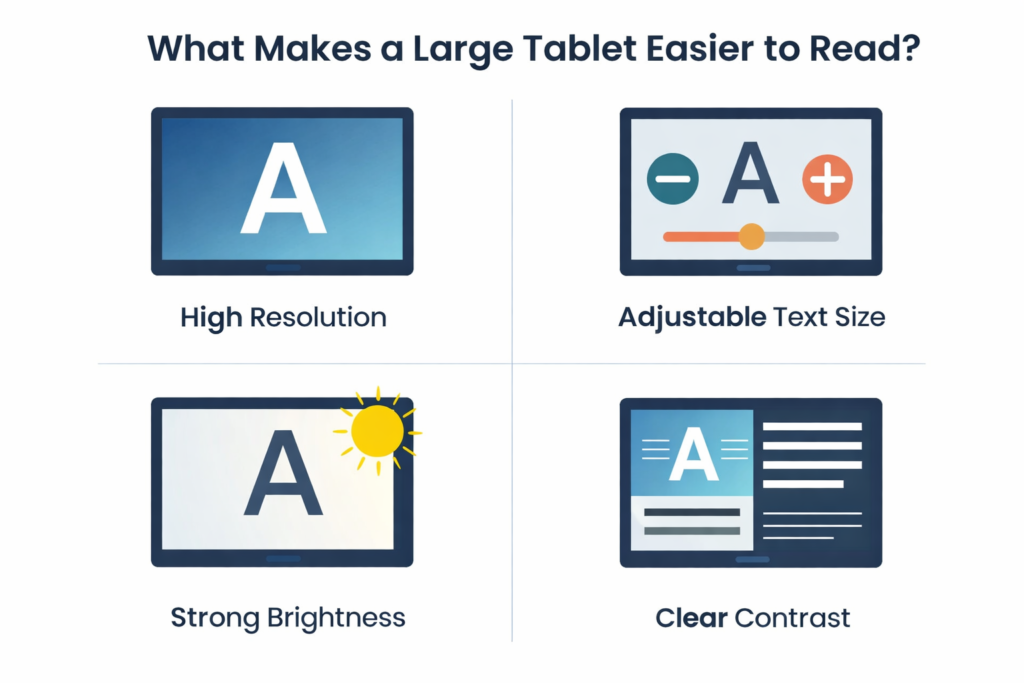
What Makes a Large Tablet Easier to Read?
Screen size is only part of the equation. True readability depends on:
• Resolution (higher resolution means sharper text)
• Brightness levels (helps in different lighting conditions)
• Text scaling controls
• Contrast and accessibility settings
• Anti-glare screen quality
A 10-inch tablet with strong brightness and sharp resolution can feel significantly clearer than a larger screen with lower quality display settings.
If reading email, news, or eBooks is the primary goal, display sharpness matters more than raw processing power.
If screen clarity is your priority, explore our recommended 10-inch and larger tablets designed for comfortable everyday use.
What Screen Size Is Best for Seniors?
For most older adults, a 10-inch screen is the ideal balance. It provides:
• Larger text visibility
• More comfortable email reading
• Easier video calls
• Clearer photos and streaming
An 11–12 inch tablet offers even more viewing space, but there are trade-offs:
• Heavier weight
• Slightly less portability
• Higher cost
The goal isn’t simply “bigger.” It’s comfortable clarity without creating strain from holding a heavier device.
If vision comfort is your top priority, stay in the 10–12 inch range and If you would like a broader breakdown of how these brands compare overall, see our full side-by-side tablet comparison for seniors.
1️⃣ Best Overall Large Screen Tablet for Seniors
Apple iPad (10.9″ or 11″)
For many seniors, the iPad remains the most balanced large screen option. Apple’s display quality is excellent, brightness is strong, and text scaling is smooth and intuitive.
Why it works well:
• Clear, bright Retina display
• Easy text enlargement
• Simple, uncluttered layout
• Strong long-term software updates
• Reliable FaceTime video calls
The interface feels clean and easy to navigate. Accessibility tools are easy to find and adjust, which reduces frustration over time.
For seniors who want something dependable that will remain usable for years, the iPad is often the safest overall choice.
View Current iPad Options
- WHY IPAD — Colorfully reimagined and more versatile than ever, iPad is great for the…
- IPADOS + APPS — iPadOS makes iPad more productive, intuitive, and versatile. With…
- FAST WI-FI CONNECTIVITY — Wi-Fi 6 gives you fast access to your files, uploads, and…
- PERFORMANCE AND STORAGE — The A14 Bionic chip delivers power and performance for any…

- WHY IPAD AIR — iPad Air is powerful, versatile, and comes in a choice of two sizes…
- APPLE INTELLIGENCE — Apple Intelligence is the personal intelligence system that helps…
- PERFORMANCE AND STORAGE — M3 is a powerful chip built for Apple Intelligence that brings…
- 13-INCH LIQUID RETINA DISPLAY — The gorgeous Liquid Retina display features advanced…

- WHY IPAD — The 11-inch iPad is now more capable than ever with the superfast A16 chip, a…
- PERFORMANCE AND STORAGE — The superfast A16 chip delivers a boost in performance for…
- 11-INCH LIQUID RETINA DISPLAY — The gorgeous Liquid Retina display is an amazing way to…
- IPADOS + APPS — iPadOS makes iPad more productive, intuitive, and versatile. With…

2️⃣ Best Budget Large Screen Tablet
Amazon Fire HD 10
If cost matters most, the Fire HD 10 offers a full 10-inch display at a significantly lower price point.
Why some seniors prefer it:
• Lower upfront cost
• Large, easy-to-tap icons
• Built-in Alexa voice assistant
• Straightforward setup
Trade-offs to understand:
• More Amazon-centered interface
• Limited Google Play access
• Display clarity slightly lower than iPad or Samsung
For basic tasks like reading, streaming, and light browsing, it performs well. For long-term updates or advanced app use, it may not match premium models.
View Current Fire HD 10 Options

- Do what you love, uninterrupted — 25% faster performance than the previous generation…
- High-def entertainment — A 10.1″ 1080p Full HD display brings brilliant color to all…
- Thin, light, durable — Tap into entertainment from anywhere with a lightweight, durable…
- Stay up to speed — Use the 5 MP front-facing camera to Zoom with family and friends, or…

- Do what you love, uninterrupted — 25% faster performance than the previous generation…
- High-def entertainment — A 10.1″ 1080p Full HD display brings brilliant color to all…
- Thin, light, durable — Tap into entertainment from anywhere with a lightweight, durable…
- Stay up to speed — Use the 5 MP front-facing camera to Zoom with family and friends, or…

- Do what you love, uninterrupted — 25% faster performance than the previous generation…
- High-def entertainment — A 10.1″ 1080p Full HD display brings brilliant color to all…
- Thin, light, durable — Tap into entertainment from anywhere with a lightweight, durable…
- Stay up to speed — Use the 5 MP front-facing camera to Zoom with family and friends, or…
3️⃣ Best Android Large Screen Tablet
Samsung Galaxy Tab (10–12 inch models)
Samsung tablets sit between iPad and Fire in both price and flexibility. They run full Android with access to the Google Play Store and offer strong display quality.
Why it works well:
• Bright, high-quality screens
• Access to full Google Play Store
• Adjustable display and scaling settings
• Multiple size options
Samsung tablets often feel more customizable than Fire tablets, though slightly less streamlined than Apple’s interface.
For seniors already comfortable using Android smartphones, a Galaxy Tab can feel familiar and easy to adapt to.
View Current Samsung Galaxy Tab Options

- POWER FOR ALL YOU DO: Galaxy Tab A11+ gives your family the optimal performance they need…
- CHARGES UP FAST. LASTS FOR HOURS: Galaxy Tab A11+ keeps your family going with a…
- MEMORY AND STORAGE THAT KEEP UP: With up to 8GB of memory and 256GB⁶ of storage, Galaxy…
- BIG SCREEN. FAMILY-SIZED FUN: A bright, engaging 11″ screen¹ with a refresh rate up to…

- POWER FOR ALL YOU DO: Galaxy Tab A11+ gives your family the optimal performance they need…
- CHARGES UP FAST. LASTS FOR HOURS: Galaxy Tab A11+ keeps your family going with a…
- MEMORY AND STORAGE THAT KEEP UP: With up to 8GB of memory and 256GB⁶ of storage, Galaxy…
- BIG SCREEN. FAMILY-SIZED FUN: A bright, engaging 11″ screen¹ with a refresh rate up to…
- Brilliant 14.6″ Dynamic AMOLED 2X Display – Features ultra-smooth 120Hz refresh rate…
- Premium Performance & Storage – Backed by 256GB storage, 12GB RAM, and expandable…
- Advanced Camera & Connectivity – Rear: 13MP (f/2.0 wide) + 8MP (f/2.2 ultrawide); Front…
- Wi-Fi Only Model – Designed for high-speed wireless use. This model does not support SIM…

- DIVE INTO THIS DISPLAY: All of your fun content pops on the 10.9″ screen. Catch up on…
- BATTERY FOR LONG-LASTING ENTERTAINMENT: Enjoy long-lasting fun. Finish your favorite…
- WRITE, DRAW, DO IT ALL: S Pen is mightier than your average writing tool. The responsive…
- SPACE TO KEEP WHAT MATTERS MOST: More storage means deleting less apps, photos, videos and…
Are Larger Tablets Too Heavy?
This is a detail many reviews overlook.
A 12-inch tablet can feel heavier, especially when:
• Holding it in bed
• Resting it on your lap
• Using it without a stand
For seniors with wrist discomfort or arthritis, a lightweight 10-inch model may actually feel more comfortable than the largest available option.
Using a tablet stand can significantly reduce strain.
Which Large Screen Tablet Is Best Overall?
The right choice depends on priorities.
Choose iPad if:
• You want long-term reliability
• You prefer a clean interface
• You value strong accessibility tools
Choose Fire HD 10 if:
• Budget is the main concern
• You need basic browsing and streaming
• You are comfortable with Amazon’s ecosystem
Choose Samsung Galaxy Tab if:
• You prefer Android
• You want more flexibility than Fire
• You want strong screen clarity at mid-range pricing
For most older adults seeking comfort and longevity, a 10–11 inch iPad or Samsung model offers the best overall balance of clarity, usability, and long-term support.
Final Thoughts
A large screen tablet can significantly improve daily comfort for older adults. Whether it’s reading emails without squinting, watching a favorite show more clearly, or making video calls with family, screen size and clarity matter.
The best tablet isn’t the most powerful — it’s the one that feels easy, comfortable, and dependable every day.
If possible, stick with 10 inches or larger and prioritize display quality over technical specifications. For a more complete buying overview beyond screen size alone, see our full guide to the best tablet computer
Frequently Asked Questions
Is a 12-inch tablet better for seniors than a 10-inch tablet?
A 12-inch tablet offers more viewing space and larger on-screen elements, which can improve readability. However, it may feel heavier to hold. For many older adults, a 10–11 inch tablet provides a better balance between comfort and visibility.
Are large screen tablets harder to hold?
Larger tablets can weigh more, especially 12-inch models. Using a lightweight 10-inch tablet or placing the device on a stand can reduce wrist strain and improve comfort during longer use.
Do larger tablets improve readability?
Yes, but screen quality matters just as much as size. Higher resolution, strong brightness, and adjustable text scaling often make a bigger difference than simply choosing the largest screen available.
Which large screen tablet is easiest for seniors?
Many seniors find iPad models easiest due to their clean layout and accessibility tools. Samsung tablets offer flexibility with strong display quality, while Fire tablets provide an affordable large-screen option for basic use.