

What Is the Simplest iPad App for Elderly People to Make Video Calls?
Staying connected should not feel complicated. For many older adults, video calls are no longer a novelty. They are how birthdays are shared, how grandchildren show off school projects, and how families stay close even when miles apart. Video communication has become part of everyday life.
Yet for some seniors, making or answering a video call still feels stressful. Buttons are too small. The screen is hard to see. The device vibrates with notifications in the middle of a conversation. One wrong tap and the call disappears.
When families search online for a “simple video call app for elderly people,” they often focus on the wrong solution.

The problem is rarely the app.
The problem is the experience.
And that experience changes dramatically when the device changes.
For most older adults, the iPad provides the clearest, calmest, and most dependable way to make video calls.
- Not because it is flashy.
- Not because it is packed with features.
- But because it removes common barriers.
And removing barriers is what truly makes technology simple.
Why Video Calling Feels Difficult for Some Seniors
Many older adults are fully capable of learning new tools. What creates frustration is not a lack of intelligence or willingness. It is design.
Modern smartphones are built for speed and multitasking. Apps overlap. Messages pop up. Icons are tightly packed together. Screens are small by design. The user is expected to swipe, pinch, tap, and switch between windows quickly.
For someone with reduced vision, mild tremors, or slower reaction time, that environment can feel overwhelming.
- Small text demands extra focus.
- Tiny buttons invite accidental taps.
- Holding a phone at the right angle becomes tiring.
Instead of feeling connected, the user feels anxious about “doing it wrong.”
When technology increases anxiety, people avoid it.
The goal should be the opposite. Technology should feel steady, predictable, and comfortable.
That is where the iPad stands out.

- WHY IPAD — The 11-inch iPad is now more capable than ever with the superfast A16 chip, a stunning Liquid Retina display…
- PERFORMANCE AND STORAGE — The superfast A16 chip delivers a boost in performance for your favorite activities. And with…
- 11-INCH LIQUID RETINA DISPLAY — The gorgeous Liquid Retina display is an amazing way to watch movies or draw your next…


- WHY IPAD — The 11-inch iPad is now more capable than ever with the superfast A16 chip, a stunning Liquid Retina display…
- PERFORMANCE AND STORAGE — The superfast A16 chip delivers a boost in performance for your favorite activities. And with…
- 11-INCH LIQUID RETINA DISPLAY — The gorgeous Liquid Retina display is an amazing way to watch movies or draw your next…
Screen Size Is Not a Luxury — It Is a Comfort Feature
The most noticeable difference between an iPad and a phone is the size of the screen. This is not just about aesthetics. It directly affects usability.
On a larger screen, faces appear clearer and more detailed. Expressions are easier to read. There is no need to squint or lean forward to see who is speaking. Eye strain decreases naturally because the image is simply bigger and brighter.
For older adults who already spend effort adjusting to smaller print in daily life, this change feels significant. Instead of holding a device inches from the face, they can sit back in a chair and still see comfortably.
- The conversation becomes more natural.
- And when the conversation feels natural, confidence grows.
Clearer Sound Without Extra Equipment
Hearing changes are common over time. Even mild hearing loss can make conversations tiring, especially when sound quality is poor.
An iPad typically offers stronger, fuller speakers than most smartphones. Because the device is larger, the audio output is not compressed into a tiny frame. Voices feel clearer and less sharp.

When placed on a table or stand, the microphone is positioned more consistently. There is less movement, fewer muffled sounds, and fewer interruptions caused by shifting hands.
The difference may seem subtle at first, but over a thirty-minute call, clarity matters.
If a senior does not have to repeatedly ask, “Can you say that again?” the entire experience becomes more enjoyable.
Stability Makes a Bigger Difference Than You Think
One of the overlooked frustrations of smartphone video calls is the need to hold the device.
Hands become tired. The camera angle shifts. The image shakes. The device slips. The call becomes physically uncomfortable.
An iPad can rest on a table, desk, or lap using a simple stand. It stays steady. The camera remains at eye level. The user’s hands are free.
That stability changes posture. Instead of hunching forward or gripping tightly, the user can relax. A relaxed posture leads to a relaxed conversation.
Technology should support comfort, not create tension.
Built-In Simplicity With FaceTime
For families using Apple devices, FaceTime is already installed on the iPad. There is no need to search for a special “senior app.” The system is integrated.
With a simplified Home Screen and a short list of favorite contacts, the process becomes extremely straightforward.
- Open the app.
- Tap a familiar name.
- The call begins.

No extra menus. No complicated logins. No unnecessary steps.
Even when families use Zoom or another cross-platform service, the larger screen and simplified setup of the iPad still make the experience easier.
The simplicity does not come from a special app.
It comes from thoughtful design and a comfortable interface.
- WHY IPAD — The 11-inch iPad is now more capable than ever with the superfast A16 chip, a stunning Liquid Retina display…
- PERFORMANCE AND STORAGE — The superfast A16 chip delivers a boost in performance for your favorite activities. And with…
- 11-INCH LIQUID RETINA DISPLAY — The gorgeous Liquid Retina display is an amazing way to watch movies or draw your next…

- WHY IPAD PRO — iPad Pro with the Apple M5 chip delivers extraordinary performance for effortless productivity on a stunning…
- PERFORMANCE AND STORAGE — iPad Pro with M5 brings next-generation speed and the power of on-device AI to all your tasks…
- IPADOS — Run pro apps and get more done with iPadOS 26 with Liquid Glass design and game-changing capabilities.* With an…
Why “Senior Tablets” Are Not Always Better
Some companies market tablets specifically for older adults. While the intention may be positive, many of these devices are limited in power, restrict app choices, or do not receive regular software updates.
Technology that cannot adapt over time becomes frustrating quickly.
The iPad continues to receive updates for years. It supports widely used applications. Family members are already familiar with how it works, which makes remote troubleshooting easier if needed.
Long-term reliability is an important part of simplicity.
A device that works today and continues working next year builds trust.
The Emotional Benefit of Reliable Video Calls
Video calling is not about screens and software.
It is about connection.
It is about seeing a grandchild’s smile in real time. Watching a family celebration from another state. Feeling included in daily life rather than hearing about it later.
When technology works smoothly, the focus shifts from “How do I use this?” to “I’m glad to see you.”
That shift matters deeply.
Loneliness is a real concern for many older adults. Consistent visual connection strengthens relationships and reinforces a sense of belonging.
A device that makes that connection easier is not just convenient. It supports emotional well-being.
How to Set Up an iPad for Stress-Free Video Calling
The key to success is thoughtful setup.
Remove unnecessary apps from the Home Screen so the display feels calm rather than crowded. Increase text size to a comfortable level through the accessibility settings. Add only the most important contacts to the video calling app so choices remain simple.
A sturdy stand positioned at eye level creates a natural viewing angle. Good lighting improves the image. Clear labeling of contacts reduces hesitation.
When the environment feels organized and intentional, the device feels approachable.
Simplicity is often about preparation, not limitation.
Why the iPad Works Best for Senior Video Calls

- WHY IPAD — The 11-inch iPad is now more capable than ever with the superfast A16 chip, a stunning Liquid Retina display…
- PERFORMANCE AND STORAGE — The superfast A16 chip delivers a boost in performance for your favorite activities. And with…
- 11-INCH LIQUID RETINA DISPLAY — The gorgeous Liquid Retina display is an amazing way to watch movies or draw your next…

- POWER FOR ALL YOU DO: Galaxy Tab A11+ gives your family the optimal performance they need for all their day-to-day…
- CHARGES UP FAST. LASTS FOR HOURS: Galaxy Tab A11+ keeps your family going with a long-lasting battery that’s perfect for…
- MEMORY AND STORAGE THAT KEEP UP: With up to 8GB of memory and 256GB⁶ of storage, Galaxy Tab A11+ gives your family the…
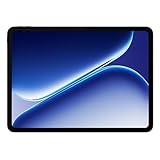
- Performance for Everything you do: Powered by the MediaTek Dimensity 7300-Ultra, it can handle multi-tasking, entertainment…
- All-Day Battery Life: Massive 10,050mAh battery to get through work, streaming, and play. Designed to keep up with your day…
- Immersive Display, Smooth Viewing: Enjoy movies, browsing, and gaming on a large 12.1″ vivid Dolby Vision display with a…
There Is Also a Tablet Designed Specifically for Seniors
In addition to traditional tablets like the iPad and Android models, there is another type of device created specifically for older adults.
One example is GrandPad.
GrandPad is built as a simplified, closed system. The interface uses large buttons, limited menus, and controlled contacts. Family members help manage who can call, send photos, or communicate. For seniors who feel easily overwhelmed by technology, that structure can feel reassuring.
![GrandPad Easy to Use Tablet & Phone for Seniors [Locked - Not Compatible with Other Wireless Carriers - Requires a Plan]](https://m.media-amazon.com/images/I/41XvvOU2BCL._SL160_.jpg "The Simplest Way for Seniors to Make Video Calls 20")
- Designed for Seniors: GrandPad is a secure, all-in-one tablet + phone. With large icons, easy navigation, and a private…
- Requires Activation: Call GrandPad to activate and choose from six plans—Basic, Premium, or Ultimate (monthly or annual…
- Connects the Entire Family: With our complimentary companion apps for Android and iOS, family and friends can securely share…
Because everything is preconfigured, there are fewer decisions to make and fewer settings to adjust. Video calls, messaging, and photos are the primary focus.
However, this simplicity comes with tradeoffs. GrandPad operates on a subscription-based model and does not allow the same flexibility as a traditional tablet. Users cannot freely download apps or expand beyond the curated features. For some families, that level of control is ideal. For others, it may feel limiting over time.
If the goal is complete containment and caregiver oversight, a device like GrandPad may be worth considering.
If the goal is simplicity with long-term flexibility, an iPad or quality Android tablet — properly set up — often provides a better balance. It can be simplified just as effectively while still allowing the user to grow into additional features at their own pace.
The right choice depends on comfort level, independence, and how much freedom is desired.
Final Thought
When families or caregiver search for the simplest way for an older adult to make video calls, it is easy to assume the answer is a special app.
In reality, simplicity rarely comes from software alone. It comes from choosing the right device and setting it up thoughtfully.
Whether that means a fully guided system like GrandPad, a quality Android tablet, or a properly configured iPad, the goal is the same: clear communication without frustration.
For many independent adults, an iPad strikes the strongest balance. Its larger screen, dependable audio, stable design, and long-term support remove common barriers without limiting future use. It turns video calling from something intimidating into something routine.
And when video calls feel routine, connection becomes consistent.
In the end, the device matters far less than the result — seeing familiar faces, hearing familiar voices, and staying part of the moments that matter most. That is what truly counts.
Frequently Asked Questions
Is an iPad really easier than a smartphone for seniors?
For many older adults, yes. The larger screen reduces eye strain, the touch targets are easier to tap accurately, and the device can rest on a stand instead of being held. These small differences add up and make video calling feel more comfortable and less rushed.
Do seniors need FaceTime, or can they use Zoom?
FaceTime works best when family members use Apple devices because it is already installed and requires minimal setup. However, Zoom, Google Meet, or other cross-platform apps also work well on an iPad or Android tablet. The simplicity comes more from the device and screen size than the app itself.
Is an Android tablet just as good as an iPad for video calls?
A quality Android tablet can work very well, especially when it has a large, bright display and strong speakers. The key is choosing a reliable model and simplifying the home screen. The experience depends more on screen clarity and setup than on the operating system alone.
What about tablets designed specifically for seniors like GrandPad?
Devices such as GrandPad are built with a simplified, controlled interface. They may work well for seniors who feel overwhelmed by technology or who need caregiver oversight. However, they typically operate on a subscription model and offer less flexibility than a standard tablet.
Do seniors need extra speakers or headphones for better sound?
In most cases, no. Modern iPads and many mid-to-high-quality Android tablets provide clear, strong built-in speakers that are sufficient for normal home use. If hearing loss is significant, pairing the device with Bluetooth hearing aids or headphones can improve clarity further.
How can I make a tablet easier for an older adult to use?
Keep the home screen uncluttered. Increase text size in accessibility settings. Add only the most important contacts. Use a stable stand for hands-free calls. A thoughtful setup often makes more difference than the brand of device.
Looking for companionship later in life? eharmony offers a dating platform many seniors use to meet people who want something more meaningful.
Meet Compatible Singles →


