

Choosing between an iPad, an Amazon Fire tablet, and a Samsung Galaxy Tab can feel overwhelming — especially when the goal is something simple, clear, and comfortable to use. Most comparison articles focus on speed, processors, or gaming performance. For older adults, those factors usually matter far less than readability, ease of navigation, and long-term reliability.
In this senior-focused comparison, we look at how the iPad, Fire Tablet, and Samsung Galaxy Tab perform in real everyday use — reading email, making video calls, viewing photos, streaming shows, and browsing the web. Instead of a tech spec battle, this guide helps you decide which tablet is truly easier and more practical for seniors.
Quick Comparison Overview
| Feature | iPad | Amazon Fire Tablet | Samsung Galaxy Tab |
|---|---|---|---|
| Ease of Use | ⭐⭐⭐⭐ | ⭐⭐⭐ | ⭐⭐⭐⭐ |
| Screen Clarity | Excellent | Good | Very Good |
| Price Range | Higher | Budget-Friendly | Mid-Range |
| App Selection | Full App Store | Limited | Full Play Store |
| Best For | Long-term simplicity | Budget buyers | Android flexibility |
Now let’s look at each option more closely.
iPad: Best for Long-Term Simplicity and Reliability
Apple’s iPad is widely considered one of the easiest tablets for older adults to use. The interface is clean, the icons are clear and well-spaced, and the built-in accessibility settings are thoughtfully designed rather than hidden away.
Why seniors often prefer the iPad:
• Simple, uncluttered home screen
• Strong text-size, zoom, and display controls
• Long-term software update support
• Bright, sharp display with strong contrast
• Reliable FaceTime video calling
One of the biggest advantages of the iPad is long-term support. Apple devices typically receive software updates for many years, helping the tablet remain secure, smooth, and compatible with newer apps.
The main drawback is cost. iPads are generally more expensive than Amazon Fire tablets and many Samsung models.
If long-term reliability and a straightforward experience matter most, the iPad remains the safest overall choice.
Recommended iPad Option

- WHY IPAD — The 11-inch iPad is now more capable than ever with the superfast A16 chip, a…
- PERFORMANCE AND STORAGE — The superfast A16 chip delivers a boost in performance for…


- WHY IPAD AIR — iPad Air is powerful, versatile, and comes in a choice of two sizes…
- APPLE INTELLIGENCE — Apple Intelligence is the personal intelligence system that helps…

- Stunning 10.9-inch Liquid Retina display with True Tone and P3 wide color
- A14 Bionic chip with Neural Engine
Amazon Fire Tablet: Best for Budget-Conscious Buyers
Amazon Fire Tablet: Best for Budget-Friendly Simplicity
The Amazon Fire Tablet is typically the most affordable option. For seniors who mainly want email, YouTube, reading, light browsing, or streaming, it can be a practical and straightforward choice.
Why some seniors choose Fire:
• Lower upfront cost
• Simple initial setup
• Built-in Alexa voice assistant
• Good battery life for everyday use
However, there are trade-offs:
• Heavily centered around Amazon’s ecosystem
• Limited access to Google Play apps (without workarounds)
• Display quality and brightness not as strong as iPad or many Samsung models
The Fire Tablet works best for seniors who want basic functionality without spending much. If affordability matters more than long-term performance or app flexibility, it can be a sensible option.
Recommended Fire Tablet Option
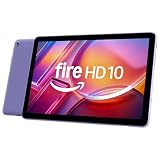
- Do what you love, uninterrupted — 25% faster performance than the previous generation…
- High-def entertainment — A 10.1″ 1080p Full HD display brings brilliant color to all…
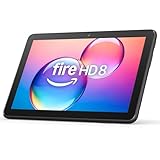
- Like-New Amazon Fire HD 8 tablet is refurbished, tested, and certified to look and work…
- Fire HD 8 offers an 8″ HD display for seamless streaming and gaming, coupled with a 5MP…

- Like-New Amazon Fire HD 10 tablet is refurbished, tested, and certified to look and work…
- Do what you love, uninterrupted — 25% faster performance than the previous generation…
Samsung Galaxy Tab: Best for Android Flexibility
Samsung tablets sit between the iPad and Fire in both price and flexibility. They run full Android with access to the Google Play Store, offering significantly more app options than Fire tablets.
Why some seniors prefer Samsung:
• Larger screen size options
• Bright, high-quality displays
• Full access to Google Play apps
• Customizable home screen layout
Samsung devices include strong accessibility settings, including text scaling, screen magnification, and contrast adjustments. However, Android’s flexibility can feel slightly more complex than Apple’s streamlined interface.
For seniors already comfortable using an Android phone, a Samsung Galaxy Tab often feels familiar and easy to adapt to.
Recommended Samsung Galaxy Tab
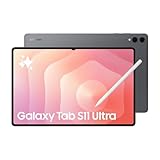
- Brilliant 14.6″ Dynamic AMOLED 2X Display – Features ultra-smooth 120Hz refresh rate…
- Premium Performance & Storage – Backed by 256GB storage, 12GB RAM, and expandable…

- DIVE INTO THIS DISPLAY: All of your fun content pops on the 10.9″ screen. Catch up on…
- BATTERY FOR LONG-LASTING ENTERTAINMENT: Enjoy long-lasting fun. Finish your favorite…

- Bundle Includes Extra Storage: Samsung Galaxy S10 Lite (International Version) with 256GB…
- Large Immersive Display: Enjoy a big, vibrant screen that’s great for streaming…
Which Tablet Is Best for Seniors With Vision Needs?
Screen size and display clarity matter far more than processor speed.
Here’s what typically helps most:
• 10-inch or larger display
• Adjustable text scaling
• High brightness levels
• Strong contrast and accessibility settings
Tablets from Apple and Samsung generally provide the best overall display sharpness, brightness control, and contrast adjustment. Amazon Fire tablets are functional for everyday use, but screen clarity and color depth may be slightly lower by comparison.
If vision support is the primary concern, choosing a 10-inch model or larger is strongly recommended.
For a deeper look at screen size considerations, see our full guide to large-screen tablets for seniors.
Which Tablet Is Easiest to Set Up?
If a family member or caregiver is helping with setup, any of these tablets can be configured for simplicity.
Out of the box, however:
• iPad generally offers the cleanest and most guided initial setup experience
• Fire Tablet is straightforward but heavily promotes Amazon services during setup
• Samsung allows more customization but may require a few extra adjustments to simplify
Regardless of the device, you can make any tablet easier to use by:
• Increasing text size and display scaling
• Removing unused or distracting apps
• Setting up video calling shortcuts
• Placing key apps prominently on the home screen
With a few small adjustments, all three can be tailored to feel simple and comfortable.
Which Is Best Overall?
There isn’t one perfect tablet for everyone. The right choice depends on how it will be used and how much support you want over time.
Choose iPad if:
• You want the smoothest, least complicated long-term experience
• Ongoing updates and support matter to you
• Budget is flexible
Choose Fire Tablet if:
• Keeping costs low is the top priority
• You mainly browse, read, and stream
• You’re comfortable with Amazon’s app ecosystem
Choose Samsung if:
• You prefer Android
• You want more flexibility than Fire offers
• You’re looking for a solid mid-range option
For most older adults who want the fewest frustrations over time, the iPad remains the safest overall recommendation.
Our Overall Recommendation for Most Seniors
For most older adults, the iPad remains the safest long-term choice.
It offers a bright, easy-to-read display, intuitive text sizing, smooth performance, and built-in accessibility tools that genuinely make daily use easier. It also tends to age well, receiving updates for years, which reduces long-term frustration.
If you want a dependable tablet that simply works without constant adjustment, the iPad is the most reliable overall pick.
That said, if budget is the primary concern, the Amazon Fire Tablet delivers solid basic functionality at a much lower price. It’s a practical option for reading, streaming, email, and light browsing — just without the same polish or extended support.
Choose iPad for long-term simplicity.
Choose Fire for affordability and basic use.
Frequently Asked Questions
Is an iPad easier to use than a Fire tablet?
Many seniors find the iPad’s interface cleaner and more intuitive. Navigation tends to feel smoother, and accessibility settings are well integrated. Fire tablets are affordable and straightforward, but the experience can feel more centered around Amazon services and promotions.
Are Samsung tablets good for seniors?
Yes, especially for seniors already comfortable using Android phones. Samsung tablets offer strong display quality, full access to Google Play apps, and flexible customization. However, the interface may feel slightly more complex than Apple’s streamlined layout.
What screen size is best for older adults?
A 10-inch screen or larger typically provides more comfortable reading, clearer viewing, and easier touch navigation. Larger displays reduce eye strain and make icons and text easier to manage.
Which tablet has the largest icons?
All three tablets allow icon and text adjustments through accessibility settings. However, many users find the iPad’s scaling and zoom controls smoother and more consistent across apps.
Looking for companionship later in life? eharmony offers a dating platform many seniors use to meet people who want something more meaningful.
Visit eharmony for Seniors →


